

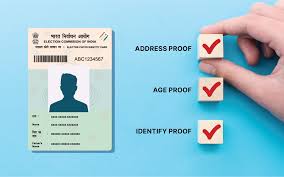
Step-by-Step: Updating Your Voter ID Address Online
Moving to a new house is enough of a headache without worrying about your voting rights. The thing is, if you’ve recently shifted residence, your old Voter ID won’t cut it anymore. Basically, you need to ensure your name is on the electoral roll for your current constituency to be election-ready. Actually, the process is now centralized through the National Voters’ Services Portal (NVSP) and it’s much more streamlined than it used to be (let’s be real, no one likes government paperwork).
Add rightsofemployees.com as a Preferred Source




And here’s the kicker. You don’t need a brand new Voter ID number. Specifically, you’re just “shifting” your existing EPIC (Electors Photo Identity Card) to a new address. As a result, you keep your unique identity but update the location where you’re legally allowed to cast your vote. Instead of a confusing mess, here is the exact roadmap to get it done.
Address Change: A Quick Roadmap
-
Choose Your Route: Online via NVSP or offline at your local Electoral Office.
-
Submit Form 8: This is the universal form for shifting, corrections, or replacements.
-
Verify Documentation: Upload one valid proof of residence (e.g., Aadhaar, Utility Bill).
-
Track & Confirm: Use your reference ID to monitor the status until approval.
Step-by-Step: Updating Your Voter ID Address Online
The thing is, the online method is by far the fastest way to get this sorted. Actually, it allows you to bypass the long queues at government offices. Consequently, you can do the whole thing from your phone or laptop in about ten minutes.
Step 1: Access the Portal Head over to the National Voters’ Services Portal (NVSP). Basically, you’ll need to log in. If you don’t have an account, just sign up using your mobile number—it’s quick.
Also Read | Company Fines Staff ₹100 for Not Wearing Ethnic: Is It Legal?
Step 2: Locate Form 8 Once you’re in, look for the section labeled “Shifting of Residence/Correction of Entries.” Specifically, you want to click on Form 8. As a result, you’ll be asked if the change is for yourself or someone else. Pick ‘Self’ and your EPIC details will likely auto-populate.
Step 3: Fill in the New Details Select the option for “Shifting of Residence.” Actually, you’ll have to choose whether you are shifting within the same constituency or to a different one. And then Y followed. Enter your new house number, street, locality, and PIN code.
Also Read | Company Fines Staff ₹100 for Not Wearing Ethnic: Is It Legal?
Step 4: Upload Your Proofs This is where most people get stuck. Instead of guessing, use one of these accepted documents:
-
Aadhaar Card (usually the easiest).
-
Utility Bills (Water, Electricity, or Gas bills not older than one year).
-
Indian Passport or Bank/Post Office Passbook.
-
Registered Rent/Lease/Sale Deed (those too).
Step 5: Submission & Tracking After double-checking everything, hit the submit button. Basically, you’ll get a unique Reference Number on your screen. And then Y followed. You should save this immediately. As a result, you can go back to the “Track Application Status” tab on the NVSP homepage anytime to see if your request is approved.
The thing is, the process doesn’t end the moment you click submit. Actually, a BLO might visit your new address just to confirm you actually live there. Instead of a tidy wrap-up, stay alert for a phone call or a text message. Consequently, once verified, your updated Voter ID will be processed and you’ll be ready for the next election cycle.
Also Read | Company Fines Staff ₹100 for Not Wearing Ethnic: Is It Legal?
Content Disclaimer: This guide is based on current Election Commission of India (ECI) protocols for 2025-26. Shifting between constituencies may require a physical verification visit from a Booth Level Officer (BLO) to your new residence. Always ensure the documents uploaded are self-attested and clearly legible to avoid rejection.
Add rightsofemployees.com as a Preferred Source




