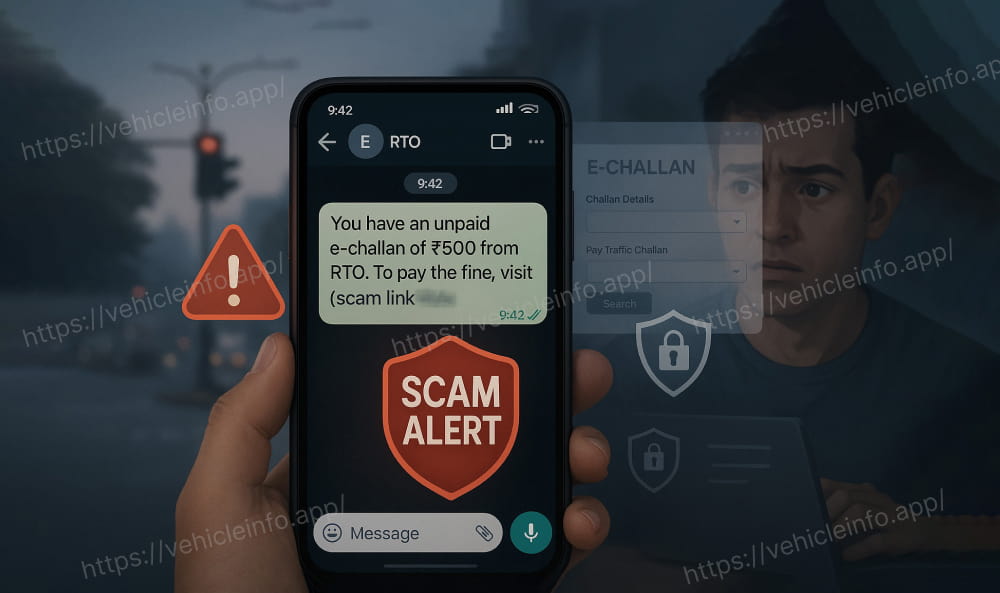
With the massive shift toward contactless enforcement in cities like Delhi, Hyderabad, and Chennai, cybercriminals are now sending sophisticated “phishing” messages that look identical to official traffic police alerts.
Add rightsofemployees.com as a Preferred Source


Also Read | Is the Old Tax Regime Ending? New ₹12.75 Lakh Limit Shifts the Balance (2025-26)
If you’ve received a text claiming you have a pending fine, here is how to tell the difference between a real government notice and a scam designed to drain your bank account.
1. The “Golden Rule” of the Domain
The most reliable way to identify a fake challan is by looking at the website link (URL).
-
The REAL Website: https://parivahan.gov.in/
-
The FAKE Websites: Scammers use lookalikes such as echallanparivahan.in, https://www.google.com/search?q=parivahan-govt.com, or m-parivahan.online.
-
Crucial Tip: Every official government website in India must end with .gov.in. If the link ends in .in, .com, .net, or .org, it is 100% fraudulent.
Also Read | Is the Old Tax Regime Ending? New ₹12.75 Lakh Limit Shifts the Balance (2025-26)
2. Real vs. Fake Challan: Key Comparison
| Feature | Genuine E-Challan | Scam/Phishing Challan |
| Sender ID | Verified IDs (e.g., VK-VAAHAN, AD-TRAFIC) | Regular 10-digit mobile numbers or WhatsApp |
| Payment Link | Leads to .gov.in domain | Often a shortened URL (bit.ly, tinyurl) or .in/.com |
| Language | Professional, factual, uses “shall” | Urgent, threatening (“Arrest Warrant,” “Jail Today”) |
| Payment Method | Verified Govt. Gateways / Netbanking | Only Credit/Debit Card or direct UPI QR codes |
| Verification | Exists on the mParivahan App | “Challan Not Found” on official government apps |
3. The “Card-Only” Trap
Recent reports from Cyble Research (Dec 2025) highlight a new trend: scammers are now disabling UPI and Net Banking on their fake portals.
-
Why? They want your Credit/Debit card details (Card number, Expiry, CVV).
-
Red Flag: If a payment page only allows card payments and refuses UPI (the most common payment method in India), it is a data-harvesting trap.
Also Read | Is the Old Tax Regime Ending? New ₹12.75 Lakh Limit Shifts the Balance (2025-26)
How to Verify a Challan (The Safe Way)
Never click a link in an SMS. Instead:
-
Open your browser and manually type echallan.parivahan.gov.in.5
-
Click on “Check Online Services” -> “Check Challan Status”.
-
Enter your Vehicle Number + the last 5 digits of your Chassis or Engine Number.
-
If the system says “No Challan Found,” the message you received was fake.
If You’ve Already Been Scammed:
-
Call 1930: This is the National Cyber Crime Helpline. Call within the first “Golden Hour” to freeze the transaction.
-
Report Online: File a complaint at [suspicious link removed].
-
Block Your Cards: Contact your bank immediately to deactivate any cards used on the suspicious link….


Also Read | Is the Old Tax Regime Ending? New ₹12.75 Lakh Limit Shifts the Balance (2025-26)
Disclaimer: The information provided here is for general informational purposes only. While we strive for accuracy, please consult with official sources or professionals for specific advice.
Add rightsofemployees.com as a Preferred Source